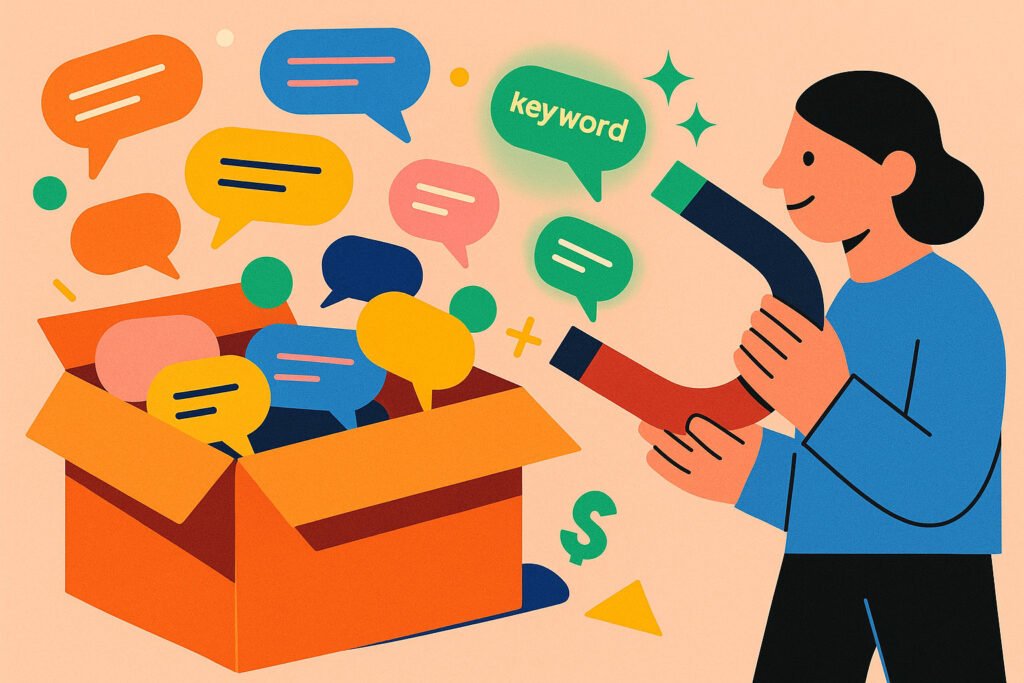
The Definitive Guide to YouTube SEO in 2025: Why “Hidden Keywords” Still Drive Traffic
“Tags contribute minimally to your video’s discovery.”
That is the official warning message inside YouTube Studio. If you read that, you might be tempted to leave your tag box empty and focus entirely on the thumbnail.
But if tags are useless, why do the world’s biggest channels—from technological giants like MKBHD to entertainment moguls like MrBeast—still religiously fill out their metadata? Why do third-party tools still track them?
The answer lies in understanding how the YouTube algorithm actually thinks. It is not a search engine anymore; it is a Relevance Engine. In this guide, we will debunk the “Tags are Dead” myth and show you how to use Channel Profiler’s Tag Cloud to reverse-engineer the keyword strategy of your top competitors.
Part 1: The Evolution of “Keywords” (2015 vs. 2025)
To win the SEO game, you have to stop playing by 2015 rules.
The Old Era: “Ranking”
Ten years ago, you stuffed keywords into your tags to rank #1 in search results for “Best Cat Funny Video.” This was the Google Search model. Humans typed queries; machines matched text.
The New Era: “Context & Training”
Today, YouTube’s AI uses Semantic Analysis. It scans your video’s audio, the visual pixels, the title, and the description to understand what the video is about.
So, what are tags for? They are training data. They help the AI categorize your video faster and more accurately, especially when you use ambiguous terms.
Example: If you upload a video titled “Apple Review,” the AI doesn’t know if you are talking about the fruit or the tech company. The tags “iPhone,” “Tech,” and “MacBook” force the AI into the “Technology” bucket immediately, preventing it from showing your video to fruit lovers.
Part 2: The Real Prize: “Suggested Video” Traffic
Most beginners obsess over “Search” traffic. But “Search” is hard work—people have to actively type a query. The real viral growth comes from Suggested Videos (the sidebar on desktop, or the “Up Next” on mobile).
The “Metadata Bridge”
How does YouTube decide which video to suggest next? It looks for a Relevance Bridge.
If User A is watching a video by a big creator in your niche, and your video shares the same:
- Core Keywords in Title
- Topic Category
- Meta Tags
…the algorithm sees a strong link. It thinks: “This video is a continuation of that video.”
The Strategy: You don’t use tags to rank above your competitor; you use tags to rank next to them.
Part 3: The Problem with “Copy-Pasting”
So, should you just copy every tag your competitor uses? No.
If you look at the source code of a single video, you might see 20 tags. Some are generic (“video”), some are irrelevant (“vlog”), and some are typos. Copying blindly confuses the algorithm.
You need to identify their “Keyword DNA”—the words they use consistently across all their successful videos.
Part 4: Leveraging the “Tag Cloud” Technology
This is why we developed the Tag Cloud Module in Channel Profiler. We realized that analyzing one video is anecdotal, but analyzing 100 videos is statistical.
How Frequency Analysis Works
[cite_start]
Channel Profiler scans the metadata of the last 100 uploads[cite: 61, 62]. It counts every tag and visualizes them based on frequency.
1. The “Brand” Keywords (The Big Words)
These will appear largest in the cloud. They define the channel’s niche.
Example: “Productivity,” “Notion,” “Time Management.”
Action: Use these to define your channel’s broad category.
2. The “Campaign” Keywords (The Medium Words)
These appear frequently in specific clusters.
Example: “iPad Setup,” “Desk Tour.”
Action: These represent the sub-niches the competitor is currently dominating. If you make a video on this topic, these tags are mandatory.
3. The “Long-Tail” Gems (The Small but Specific Words)
These are the secret weapons. They might only appear in the top-performing videos.
Example: “Notion Template Free 2025.”
Action: These are high-intent keywords. Users searching for this are ready to convert (subscribe or buy).
Part 5: The “Keyword Ecosystem” Workflow
Once you have extracted the high-value keywords using Channel Profiler, you must place them correctly. Tags alone are not enough; you need a cohesive ecosystem.
1. The Title (The Headline)
Place the highest-frequency keyword at the beginning of your title.
Bad: “My thoughts on the new Sony Camera”
Good: “Sony A7IV Review: My Honest Thoughts”
2. The Description (The Essay)
The first two lines of your description are crucial. Do not waste them on social media links. Write a natural sentence that includes your top 3 keywords.
Example: “In this Sony A7IV Review, we test the autofocus and low light performance for 2025 filmmakers.”
3. The Verbal Script (The Audio)
YouTube auto-generates transcripts. If your tags say “SEO Tutorial” but you never say the word “SEO” in the video, the algorithm detects the disconnect. Say your main keywords clearly in the first 60 seconds of the video.
Part 6: Conclusion
Are tags dead? As a “magic button” for ranking #1, yes. But as a tool for contextualizing your content and building a bridge to your competitors’ traffic? They are more alive than ever.
Data is the difference between guessing and knowing. Don’t brainstorm your keywords; extract them. Let your competitors do the A/B testing, and then harvest the winners.