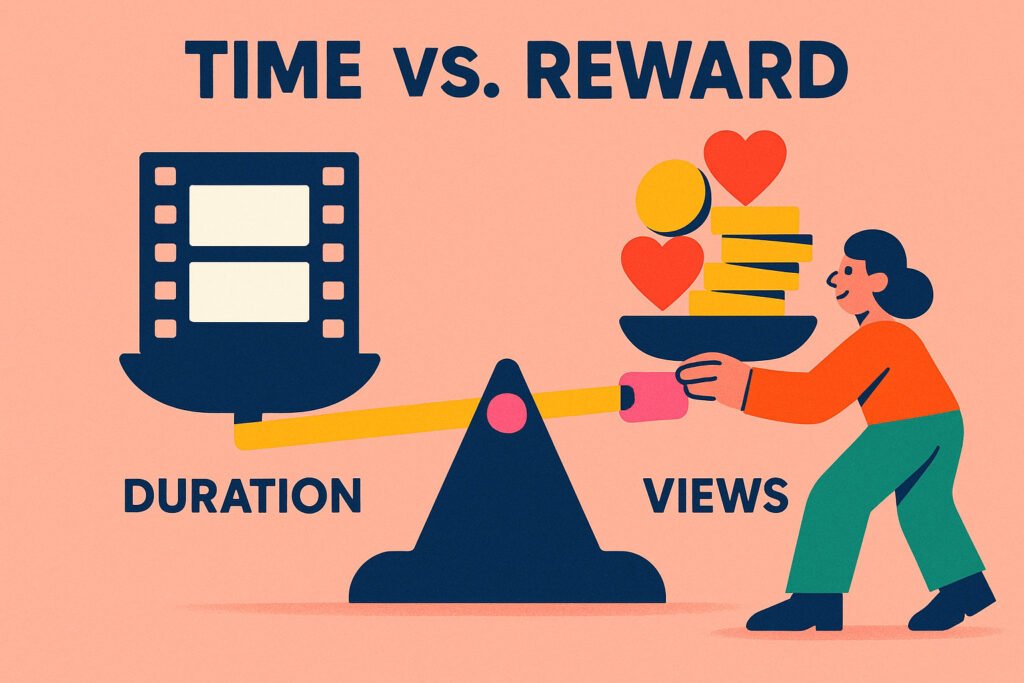
10 Minutes or 20? Using Data to Engineer the Perfect Video Length (2025 Guide)
The Editor’s Dilemma: To cut, or not to cut?
You have finished filming. You have 45 minutes of raw footage. Now you face the most critical decision of the production process: Do you cut it down to a tight, fast-paced 8-minute video? Or do you let it breathe and publish a 20-minute deep dive?
This isn’t just an artistic choice; it is a business decision. Get it wrong, and you bore your audience (low retention). Get it right, and you maximize both algorithmic reach and ad revenue.
Most creators guess. They rely on “feeling.” But successful channels treat duration as an engineering variable. In this guide, we will explore the science of Duration ROI (Return on Investment) and how to use Channel Profiler’s Scatter Plot to find the mathematical “Sweet Spot” for your specific niche.
Part 1: The Conflict: AVD vs. APV
To understand duration, you must understand the two metrics fighting each other inside the YouTube algorithm.
1. APV (Average Percentage Viewed)
This measures efficiency. If you upload a 1-minute video and people watch 50 seconds, you have an 83% APV. This is fantastic. It tells YouTube the video is highly engaging.
2. AVD (Average View Duration)
This measures total time. If you upload a 20-minute video and people watch 5 minutes, you only have a 25% APV (bad?). However, you generated 5 minutes of total watch time.
The Algorithm’s Bias: YouTube sells time. Generally speaking, a video that keeps a user on the platform for 10 minutes (even with lower retention %) is often more valuable to YouTube than a video that keeps them for 2 minutes.
This creates a trap. Creators think “Longer is better.” But if you stretch a 5-minute idea into a 20-minute video, your audience gets bored, clicks off early, and your video dies. You need to find the balance.
Part 2: The “Mid-Roll” Economics (The 8-Minute Rule)
We cannot talk about duration without talking about money. As of 2025, the threshold for placing “Mid-Roll Ads” (ads in the middle of the video) is 8 minutes.
If your video is 7 minutes and 59 seconds long, you can only place ads at the start and end. If it is 8 minutes and 1 second, you can place ads in the middle.
- Strategy A (< 8 mins): Pure growth. Fast pacing, high retention, viral potential. Lower RPM (Revenue Per Mille).
- Strategy B (> 8 mins): Monetization focus. Slower pacing, deeper value. Higher RPM.
Smart competitors aren’t just picking a length; they are picking a business model. You need to know which model dominates your niche.
Part 3: The “Sweet Spot” Theory
Here is the reality: There is no universal “Best Length.” It depends entirely on user intent.
- The “Fix It” Niche (e.g., “How to unclog a drain”): Users want speed. If your video is 15 minutes, they will click away to a 3-minute video. Sweet spot: 3-5 minutes.
- The “Companion” Niche (e.g., Gaming, Podcasts): Users want company while eating or doing chores. A 10-minute video feels “too short” to be worth clicking. Sweet spot: 25-40 minutes.
- The “Edutainment” Niche (e.g., Video Essays): Users want a story. Sweet spot: 12-18 minutes.
If you apply “Gaming” logic to a “Tutorial” channel, you will fail. You must benchmark against your direct competitors.
Part 4: Visualizing the Data (The Scatter Plot)
How do you find your niche’s benchmark without watching thousands of hours of video? You use the Duration ROI Scatter Plot in Channel Profiler.
Why a Scatter Plot?
A simple “average” is misleading. If a competitor has one 1-hour livestream and nine 1-minute shorts, their “average” duration is ~6 minutes. But none of their videos are actually 6 minutes long. The average lies.
Our Scatter Plot visualizes every single video as a distinct dot:
- X-Axis (Horizontal): Video Duration (Minutes).
- Y-Axis (Vertical): View Count.
How to Read the Clusters
When you input a competitor’s handle, look for the “Green Zone”—the area on the chart where the dots are highest (most views).
Scenario A: The “Short & Punchy” Cluster
You see a massive cluster of high-view videos between 4 and 6 minutes. Any dot further to the right (longer videos) is low on the Y-axis.
Action: Your audience has a short attention span. Be ruthless with your editing. Cut the intro. Cut the fluff.
Scenario B: The “Deep Dive” Reward
You see a positive correlation. As the dots move right (longer duration), they also move up (more views). The 20-minute videos are outperforming the 10-minute ones.
Action: Your audience values depth. Do not split your topic into “Part 1” and “Part 2.” Combine them into one “Ultimate Guide.”
Part 5: Step-by-Step Optimization Strategy
Ready to engineer your next video’s length? Follow this workflow.
Step 1: Audit the Leader
Take the market leader in your niche. Put their handle into Channel Profiler. Look at their Module 4 (Duration ROI).
Where is their densest cluster of success? Let’s say it is 12 minutes.
Step 2: The “Plus Two” Rule
Now, look at your script. If your estimated runtime is 8 minutes, you are “under-delivering” compared to the market expectation. Can you add more examples? Can you go deeper?
Conversely, if your script is 25 minutes, but the market leader caps out at 15, you are likely “over-explaining.” You need to tighten the script.
Step 3: Analyze the “Failed Experiments”
Look at the dots on the bottom of the chart (low views). Are they significantly longer or shorter than the winners?
Often, you will find that a creator tried to do a “Short Update” (2 minutes) and it flopped. This tells you: “My audience doesn’t care about quick updates; they want the full show.”
Part 6: Conclusion
Duration is not an accident. It is a container for value. If the container is too small, the value spills over. If it is too big, the value feels diluted.
Don’t let your editing software dictate your length. Let the market dictate it. Use the data to find where the attention is, and build your video to fit that exact container.